Automation, Smart Bidding, and AI-powered features get most of the attention in Google Ads. But none of them protect an account from the issues that actually cause financial damage: human mistakes, broken tracking, overspending, bad placements, or silent performance failures.
That protection comes from scripts.
Google Ads scripts work quietly in the background. They don’t replace strategy or automation. They guard it. They monitor what Google doesn’t warn you about, enforce discipline where platforms stay flexible, and surface problems before they become expensive.
If you manage paid search without scripts, you’re relying on hope instead of safeguards.
Scripts Handle The Work Humans Shouldn’t Be Doing
Many PPC tasks are necessary but add no strategic value. Scripts exist to remove this burden.
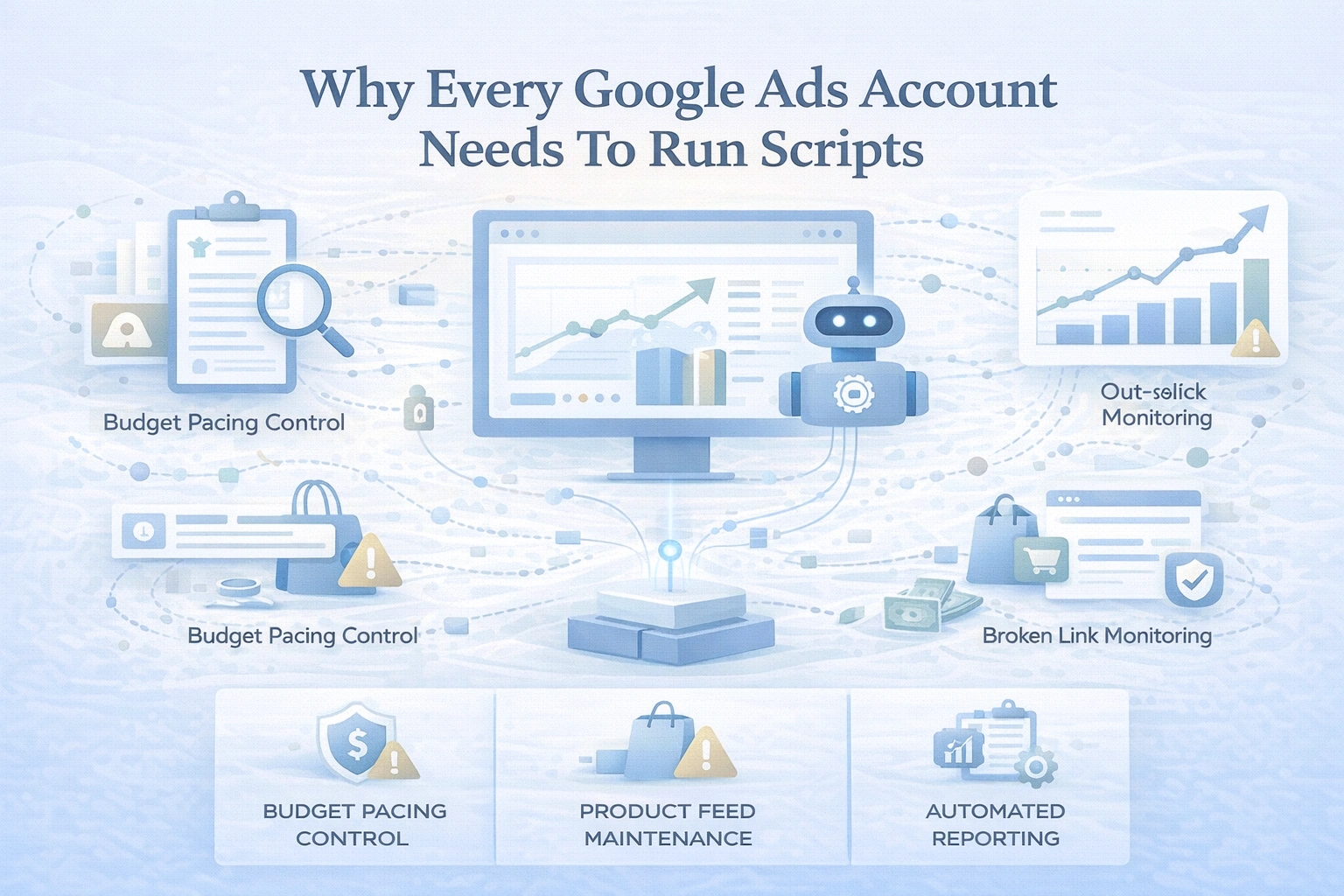
Budget Pacing Control
Google treats daily budgets as suggestions, not limits. One day underspends. Another day overspends aggressively.
A pacing script:
- Monitors daily and month-to-date spend
- Projects end-of-month totals
- Alerts you when spend drifts off pace
- Can automatically adjust budgets to stay compliant
Instead of reacting after the damage is done, you get early warnings and control.
Product Feed Maintenance
Ecommerce performance collapses when feeds break, often without notice.
Scripts can:
- Detect missing or invalid GTINs
- Flag broken product URLs
- Surface top-selling products that suddenly become disapproved
- Identify missing attributes like size or color
- Rewrite product titles using real search term data
This keeps Shopping and Performance Max campaigns clean, eligible, and aligned with demand.
Automated Reporting
Manual reporting does not scale.
Scripts can:
- Export performance data on a schedule
- Push reports into Google Sheets automatically
- Maintain live dashboards
- Generate performance summaries
- Pair with AI to draft client-facing insights
Reporting becomes consistent, fast, and hands-off.
Scripts Actively Improve Performance
Scripts don’t just save time. They reduce waste and improve efficiency.
Search Term & N-Gram Analysis
Instead of reviewing thousands of queries manually, scripts can:
- Break search terms into word patterns
- Identify phrases that consistently fail to convert
- Suggest or apply negative keywords automatically
Waste patterns like “free,” “DIY,” or irrelevant modifiers surface instantly.
SKU-Level Control In Shopping & PMax
No one audits thousands of products manually.
Scripts can:
- Pause products after X spend with no conversions
- Move poor performers into lower-priority campaigns
- Apply stricter ROAS targets or bid limits
This is especially critical in Performance Max, where spend distribution is opaque.
Display Placement Protection
Display campaigns attract fraud, MFA sites, and low-quality inventory.
Scripts can:
- Identify and exclude poor placements
- Remove children’s apps, MFA sites, and unsafe domains
- Reduce wasted spend by 20–60% depending on the account
This protects both budget and brand safety.
Scripts Prevent Costly Failures Before They Escalate
The most dangerous problems are the ones no one notices.
Broken Link Monitoring
If a final URL breaks, performance collapses instantly.
Scripts can:
- Crawl all ad URLs
- Detect 404s, redirects, and slow load times
- Alert you immediately
You stop paying for broken experiences.
Out-Of-Stock Protection
Running ads to unavailable products wastes spend and frustrates users.
Scripts can:
- Monitor product pages for stock changes
- Pause ads when items go out of stock
- Automatically resume ads when inventory returns
This is essential for Search campaigns that aren’t feed-driven.
Conversion Tracking Watchdogs
When tracking breaks, Smart Bidding breaks with it.
Scripts can:
- Detect sudden drops or spikes in conversions
- Identify missing enhanced conversions
- Catch offline conversion import failures
- Flag duplicate or misfiring tags
You find problems before algorithms optimize against bad data.
Scripts Catch Issues Google Doesn’t Warn You About
Account Down Alerts
Accounts stop serving ads for many reasons:
- Billing failures
- Monthly spend caps
- Policy enforcement
- Payment issues
Google notifications are inconsistent. Scripts alert you immediately when ads stop running.
Change History Monitoring
Some of the most damaging changes happen silently.
Scripts can:
- Monitor account edits in real time
- Flag tracking template changes
- Detect auto-applied suggestions
- Alert you when third-party tools modify settings
This protects accounts from both people and tools.
There’s No Downside To Using Scripts
Scripts are:
- Free
- Safe (Preview mode exists)
- Easy to deploy (often copy-paste)
- Simple to customize with AI assistance
With Google documentation, open-source libraries, and modern LLMs, scripting is no longer a developer-only skill.
Final Takeaway: Scripts Are PPC Infrastructure, Not Extras
Running Google Ads without scripts is like running a business without monitoring systems. You might survive—but you’re exposed.
Scripts:
- Protect budgets
- Enforce discipline
- Catch failures early
- Reduce waste
- Preserve performance
Automation optimizes.
Smart Bidding reacts.
Scripts protect.
If you care about results, reliability, and long-term account health, scripts aren’t optional anymore. They’re foundational.
Stop guessing. Start guarding.