

Google’s AI Mode & AI Overviews: Different Goals, Different Sources An Ahrefs report recently highlighted a critical distinction: Google’s AI Mode (the conversational chat interface) and AI Overviews (the summaries atop search results) often cite different URLs. This isn’t just a technical quirk; it reshapes how we think about SEO for the AI era. What This Means for Your Visibility Essentially, Google is operating with two distinct AI-driven content sourcing mechanisms. AI Overviews prioritize quick, authoritative, fact-based summaries. They lean heavily on established sites to provide concise answers directly within the SERP. AI Mode, however, is built for conversation. When you engage in a dialogue, it draws from a broader, more diverse pool of information. This includes not only high-authority sites but also niche forums, specialized blogs, and less traditional sources to construct a more human-like, comprehensive response over multiple turns. Why This Matters for Your Strategy This split signifies that “ranking” for AI isn’t a singular goal anymore. A site optimized to be featured in an AI Overview might not be the go-to source for a deeper, conversational query in AI Mode, and vice versa. It demands a dual-pronged content strategy. Traditional authority signals still govern AI Overviews. For AI Mode, Google appears to value comprehensive coverage and contextual relevance more, even if the source isn’t a household name. Practical Steps for Adaptation To succeed, understand the intent behind each AI output. For AI Overviews, focus on creating direct, unambiguous answers to common questions. Structure your content for extractability: use clear headings, bullet points, and concise paragraphs that offer definitive information. For AI Mode, your content needs to anticipate follow-up questions. Provide depth, cover various angles of a topic, and perhaps adopt a more conversational, expert tone. Think about how a human expert would explain a complex topic, addressing nuances and potential queries. Real-World Impact Consider a user asking, “How do I fix a leaky faucet?” AI Overview: Might pull a step-by-step guide from a major home improvement retailer or a reputable plumbing resource, giving a concise DIY solution. AI Mode: If the user then asks, “What if it’s a specific type of cartridge faucet?”, the AI might synthesize advice from niche plumbing forums, YouTube tutorials, and specific manufacturer guides to offer a more tailored, interactive troubleshooting experience. The sources will diversify based on the conversational depth. Your content needs to be ready for both scenarios. Key Takeaways for Marketers Diversify: Don’t put all your SEO eggs into one AI basket. Clarity for Overviews: Prioritize concise, factual content on authoritative pages. Depth for AI Mode: Offer comprehensive, multi-faceted content that anticipates conversational flows. FAQ: AI Mode & AI Overviews Does this mean traditional SEO is dead? No, it’s evolving. Core SEO principles like authority, relevance, and technical health remain vital. However, the interpretation and presentation of information by Google’s AI features are adding new layers to content strategy. Should I optimize for both AI outputs? Absolutely. They serve different user needs. By understanding their distinct sourcing patterns, you can craft content that maximizes visibility across all of Google’s emerging AI interfaces.

Building Powerful AI Agents: Top 5 Skill Marketplaces
Building Smarter AI: The Rise of Agent Skill Marketplaces Isn’t it amazing how fast the world of AI is evolving? It feels like every day brings a new breakthrough, making these intelligent systems more capable and integrated into our lives. We’re moving beyond simple chatbots to powerful “AI agents” that can understand tasks, make decisions, and even learn on their own. But here’s a thought: just like we humans need different skills to tackle various challenges, so do these AI agents. Think of your smartphone – it’s powerful, but it becomes truly indispensable because of all the apps you can install. Each app adds a new capability, a new skill. Empowering AI Agents with Reusable Skills That’s exactly what’s happening in the AI world with the emergence of “agent skill marketplaces.” Imagine a central hub where AI agents (or the developers building them) can discover, install, and utilize pre-built capabilities. Instead of starting from scratch every time you want an agent to, say, analyze financial data or manage your calendar, you can simply “download” that skill. These marketplaces are a game-changer for several reasons: Efficiency: Developers no longer need to reinvent the wheel. They can snap together existing skills, saving countless hours of development time. Power: Agents can become incredibly powerful by combining a diverse range of specialized skills, leading to more robust and versatile AI solutions. Accessibility: Even those with less specialized AI knowledge can build sophisticated agents by leveraging readily available components. A New Frontier for AI Development You see, a new frontier is emerging, spearheaded by platforms that are quickly becoming the go-to places for agent skills. These top marketplaces are shaping how we build and interact with AI, fostering a collaborative ecosystem where innovation can flourish. They’re not just about selling skills; they’re about building a shared library of intelligence that everyone can tap into. This modular approach means that creating advanced AI agents is becoming more like building with LEGOs – pick the blocks you need, snap them together, and watch your creation come to life. It’s an incredibly exciting time, and these skill marketplaces are paving the way for a future where AI agents are more powerful, more adaptable, and ultimately, more helpful to all of us.

Eight Overlooked Reasons Why Sites Lose Rankings In Core Updates
Beyond the Obvious: Why Core Updates Hit Hard When Google rolls out a core update, the usual suspects for ranking drops often get blamed: technical SEO issues, poor content, or slow loading speeds. While these matter, many sites overlook deeper, more nuanced reasons for their decline. It’s about how Google now evaluates overall utility, trust, and real-world value. Let’s dive into the less-obvious culprits. 1. Crumbling Entity Authority What it means: Your content talks *around* topics rather than establishing clear expertise on specific, identifiable entities—be it people, places, organizations, or concepts. Google wants to see your site as a reliable source for definite “things.” Why it matters: Algorithms are entity-centric. A lack of clear entity focus makes your content seem less authoritative, even if it’s well-written. It struggles to connect the dots in Google’s knowledge graph. Practical terms: A health site discussing “heart health” broadly, but failing to link specific conditions to named medical bodies, research papers, or recognized experts, appears less authoritative than one that does. 2. Stale Search Intent Alignment What it means: Your content might have aligned with intent previously, but users’ needs and the dominant intent for a keyword evolve. Your page no longer fully satisfies the *current* primary user objective. Why it matters: Google prioritizes pages that best meet the *most common* intent. If your page is informational but the top results are now commercial, you’re misaligned. Practical terms: An article from 2018 titled “Best CRM Software” might be comprehensive, but users today expect updated comparisons, integration details, and perhaps even video demos, not just feature lists. 3. Passive User Experience (Beyond Core Web Vitals) What it means: While Core Web Vitals are crucial, they don’t capture the entire user journey. Your page might be fast, but does it truly engage? Is the information easy to digest? Is the path to conversion clear? Why it matters: Google observes holistic user engagement signals. High bounce rates, low dwell time, or difficulty completing tasks all indicate a poor experience, regardless of loading speed. Practical terms: A lightning-fast page with walls of unformatted text, intrusive pop-ups, or confusing navigation quickly frustrates users, sending negative signals. 4. Lack of Demonstrable Expertise (E-E-A-T Depth) What it means: It’s more than an author bio. Does your content itself, through unique insights, original research, or firsthand experience, truly prove profound expertise and trustworthiness? Why it matters: Generic, rehashed content struggles to differentiate. Google seeks content that offers unique value born from genuine experience and authority. Practical terms: A product review site that only summarizes manufacturer specs, rather than sharing actual hands-on testing, pros/cons from real usage, and unique performance data, lacks E-E-A-T depth. 5. Insufficient Internal Linking for Topical Depth What it means: You’re publishing great content, but it lives in silos. Related articles on your own site aren’t properly interlinked, failing to build robust topical clusters. Why it matters: Google struggles to understand the full breadth and depth of your expertise if content isn’t cohesively connected. Strong internal linking reinforces your authority on a subject. Practical terms: Having ten in-depth articles on “email marketing strategies” but only linking them to your homepage, rather than to each other to form a comprehensive “email marketing” pillar, dilutes their individual and collective power. 6. Neglecting Hyper-Local or Niche-Specific Signals What it means: For businesses serving specific geographies or highly specialized niches, a generic approach isn’t enough. You’re missing critical local or industry-specific nuances that inform search intent. Why it matters: Algorithms are increasingly adept at matching highly specific user queries with equally specific content. General answers miss the mark for niche or local intent. Practical terms: A plumber in Seattle with a generic “plumbing services” page instead of dedicated, optimized pages for “emergency plumbing repair Seattle” or “water heater installation Bellevue” will struggle for relevant local rankings. 7. Unclear Monetization or Ad Intrusiveness What it means: Aggressive advertising or a confusing monetization model can degrade the user experience and send negative quality signals to search engines. Why it matters: Google prioritizes user experience. Ads that obscure content, trigger excessive pop-ups, or make navigation difficult directly contradict this, signaling a potential low-quality site. Practical terms: A page where the main content is pushed below multiple ad units and interstitial pop-ups, forcing users to scroll extensively or dismiss ads, creates a poor signal. 8. Absence of Fresh, Differentiating Value What it means: Your content simply rephrases what already exists in the top-ranking results without adding any new insights, data, unique perspective, or superior presentation. Why it matters: Google already has plenty of similar content. If your page doesn’t offer a compelling reason to exist or to outrank established competitors, it won’t. Practical terms: Publishing “10 Tips for Better Sleep” that merely reiterates common advice, without new research, unique expert interviews, or a novel angle, fails to provide differentiating value. What to Focus On Now Analyze user behavior metrics beyond basic analytics. Deep dive into competitor strategies, not just for keywords, but for user satisfaction. Audit your internal linking structure for topical cohesion. Ensure your content consistently demonstrates deep, real-world E-E-A-T. FAQ: Core Update Recovery Q: How long does it take to recover from a core update ranking drop? A: There’s no fixed timeline. Recovery typically occurs with subsequent core updates, which can be months apart. Consistent, fundamental improvements across the factors mentioned above are crucial for demonstrating value over time.

Apple Safari Update Enables Tracking Two Core Web Vitals Metrics
Safari Now Tracks Core Web Vitals: What It Means for Your Marketing Strategy Apple Safari has quietly rolled out a significant update: it now supports the collection of two critical Core Web Vitals metrics, Largest Contentful Paint (LCP) and Cumulative Layout Shift (CLS). This isn’t just a technical footnote; it closes a major data gap for any business serious about their digital presence. Why This Matters for Your Business Previously, when you looked at Core Web Vitals data – especially through tools like Google PageSpeed Insights or the Chrome User Experience Report (CrUX) – you were largely seeing Chrome-centric performance. Safari, with its substantial market share, particularly among iOS mobile users, was a blind spot for these specific RUM (Real User Monitoring) metrics. This update changes that. You can now get a more holistic and accurate picture of user experience across a broader segment of your audience. If a significant portion of your traffic comes from iPhones or iPads, this data is invaluable. It means you can identify and fix performance issues that were previously hidden, impacting your iOS users specifically. How to Leverage This New Data Think of it as gaining new visibility into a previously dark room. For instance, an e-commerce brand selling high-end products often sees a large percentage of its traffic from iOS devices. Before, their CrUX data might look good overall, but a slow-loading hero image (LCP issue) or a jumping “Add to Cart” button (CLS issue) unique to Safari’s rendering engine might be frustrating their premium audience. Now, tools integrated with Core Web Vitals will start showing more comprehensive data, including Safari’s performance. You can: Pinpoint Browser-Specific Issues: Identify if your LCP is significantly worse on Safari compared to Chrome, suggesting an optimization opportunity specific to that browser. Improve User Experience for a Key Demographic: Optimize layouts and load times directly for iOS users, potentially boosting engagement and conversion rates. Inform Development Priorities: Give your dev team concrete data points on how real Safari users experience your site, guiding their performance efforts. For example, if your luxury fashion e-commerce site has a high bounce rate on mobile Safari, you can now check the CrUX report for Safari-specific LCP and CLS scores. If LCP is poor, you might discover a large, unoptimized background image on your product pages is causing delays only on Safari. Addressing this directly impacts your revenue potential from a high-value customer segment. Driving Deeper Insights This isn’t just about SEO signals, though improved user experience certainly benefits search rankings indirectly. This is about practical business impact. A faster, more stable experience on Safari means: Reduced Frustration: Users are less likely to abandon your site. Higher Conversions: A smoother journey from landing to purchase. Stronger Brand Perception: A reliable, performant website builds trust. Stop guessing what your iOS users are experiencing. Start getting the data. FAQ: Safari Core Web Vitals Q: Does this mean Core Web Vitals are now a direct ranking factor for Safari searches? A: Core Web Vitals are a Google ranking signal. While Safari collecting this data helps us understand user experience better across browsers, it doesn’t mean Apple is using these metrics directly for its own search ranking (if it had one). However, better UX on Safari improves overall user satisfaction, which indirectly benefits your brand and, potentially, organic reach.

Five Ways To Boost Traffic To Informational Sites
Beyond The Basics: Real Traffic Growth For Informational Sites Boosting traffic to an informational website isn’t about chasing fleeting trends. It demands strategic clarity and practical execution. Forget generic advice. We’re focusing on actionable methods that deliver consistent audience growth. 1. Master Topical Authority, Not Just Keywords Many site owners still fixate on individual keywords. Modern search engines evaluate topical authority. This means demonstrating comprehensive expertise across an entire subject area, not just hitting a single keyword target. Why it matters: Google wants the most authoritative, complete answers. Consistently covering all facets of a topic signals deep expertise. This positions you favorably for a wider range of related searches, significantly boosting organic reach. How to implement: Map out a topic. If “urban gardening” is your core, create interconnected content like “composting for city dwellers” and “balcony herb gardens.” Each piece supports others, building a robust content hub and providing a holistic resource. 2. Build a Smart Internal Linking Structure Internal links are often an afterthought. This is a mistake. A well-executed internal linking strategy guides users and search engine crawlers, distributing link equity and enhancing discoverability. Why it matters: Strong internal linking improves user experience by offering related content, reducing bounce rates. For SEO, it helps search engines understand page hierarchy and relationships, passing authority. This boosts visibility across your entire informational archive. How to implement: Don’t link randomly. As you publish new content, strategically link back to relevant older pieces using descriptive anchor text. If you write about “sustainable home heating,” link to articles on “insulation types.” Ensure “pillar” content receives links from many supporting articles, cementing their authority. 3. Optimize Directly for Answer Engine Optimization (AEO) People increasingly ask explicit questions. Search engines respond with direct answers, often via featured snippets or “People Also Ask” boxes. Optimizing for AEO means structuring content to provide these immediate, concise answers. Why it matters: Featured snippets capture prime SERP real estate, significantly increasing click-through rates. Providing clear, direct answers also aligns with voice search and evolving user information consumption. How to implement: Identify common questions using tools like Google’s “People Also Ask.” Dedicate specific sections (e.g., using H3 or H4) to directly answer these questions at the start of relevant articles. Use clear, concise language easily extracted. Example: On a “pet-safe houseplants” page, include: “What are the safest houseplants for cats? Snake plants, Boston ferns, and Areca palms are generally considered non-toxic to cats.” This makes your content highly snippet-eligible. Frequently Asked Questions About Boosting Informational Site Traffic How often should I update old content? Review cornerstone and high-traffic content annually. Update statistics, examples, and ensure accuracy for relevance and authority. Should I focus on quantity or quality? Always prioritize quality. A single, deeply researched article drives more traffic and trust than ten superficial pieces. Quantity without quality is just noise. Is social media crucial for informational sites? While search engines are primary, social media amplifies reach, drives initial traffic, and builds community, especially for new content. Share strategically to relevant groups.
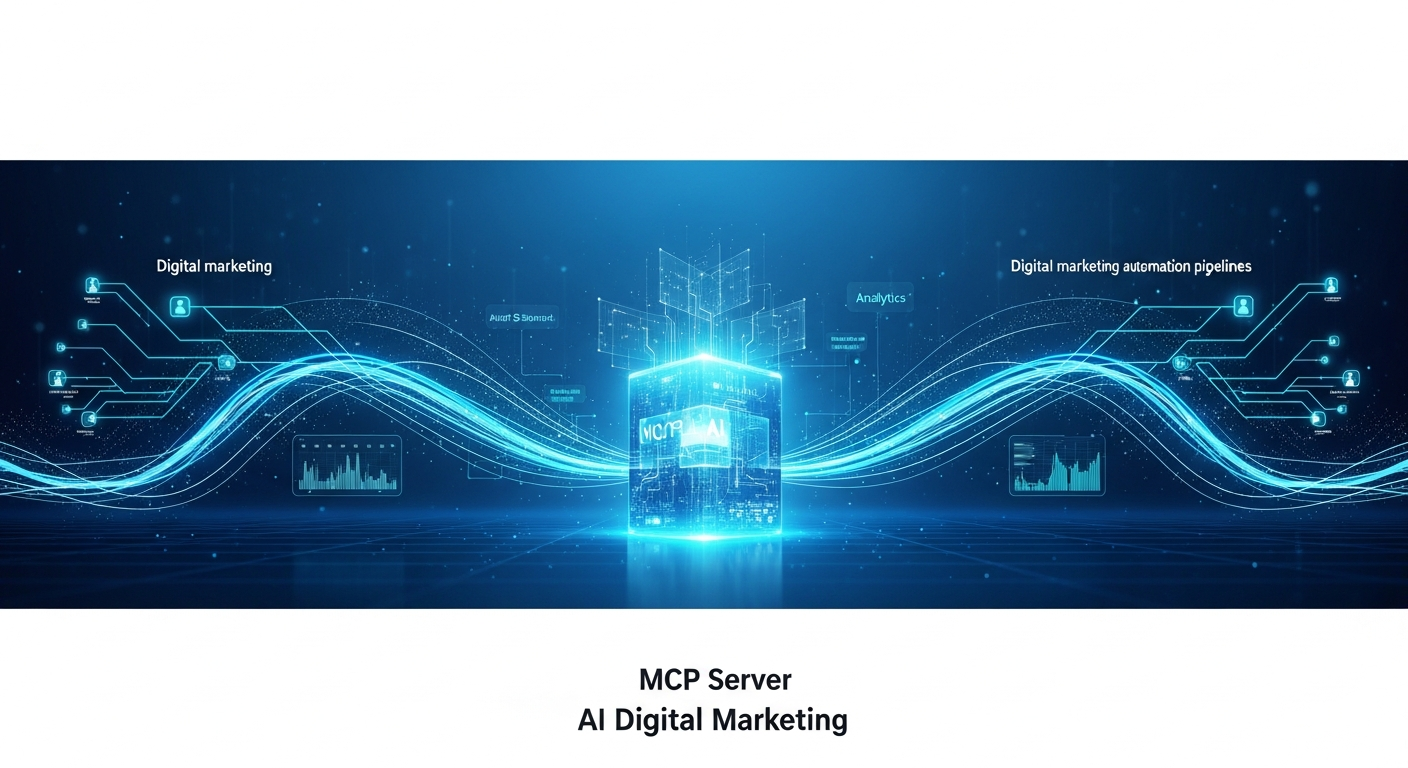
Understanding Your MCP Server: A Quick Guide
Your Own Minecraft Realm: What is an MCP Server? Ever found yourself deep in a Minecraft build, wishing your friends could jump right in and help you out, or just marvel at your epic creations in real-time? Or maybe you’ve dreamt of a persistent world where your group can collaborate on massive projects, conquer dimensions, and tell your own stories together? That’s exactly where the magic of an “MCP server” comes into play! While the letters might seem a little technical at first, think of it simply as your very own digital playground for Minecraft. It’s a dedicated place where your specific game world lives, always on and ready for you and your chosen companions to explore, no matter the time. Why Carve Out Your Own Corner of the Blocky World? You might be wondering, “Why bother with my own server when there are so many public ones?” Well, imagine a world that’s tailored just for you and your community. With your own MCP server, you get to be the architect, the rule-maker, and the guardian of a truly unique Minecraft experience. Here are a few fantastic reasons: Exclusive Play: Enjoy quality time playing solely with your friends and family, free from random players or griefers. Custom Rules: Set your own difficulty, game modes, and house rules. Want a peaceful survival haven or a challenging PvP arena? It’s all up to you! Persistent World: Your builds, your progress, and your adventures are saved exactly as you left them, always waiting for your return. Mods & Plugins: If you’re feeling adventurous, you can often experiment with custom modifications and plugins to add new creatures, items, or game mechanics. Build Community: Foster a close-knit group that shares goals, builds together, and creates lasting memories. Getting Started: A Path for Every Adventurer Setting up an MCP server might sound a bit daunting, but it’s much more accessible than you think. You have a couple of main paths you can take. You could choose to host one yourself on an old computer, which gives you full control and a fun learning experience. This path requires a bit more technical know-how but is incredibly rewarding. Alternatively, for a more hands-off approach, many excellent hosting providers offer easy-to-set-up services. They take care of all the technical bits, letting you focus purely on the building and playing. This is often the quickest way to get your server up and running. Ready to Build Your Dream World? Ultimately, an MCP server isn’t just about playing a game; it’s about building memories, fostering friendships, and unleashing shared creativity. It’s your opportunity to craft a truly bespoke Minecraft universe, one block at a time, with the people who matter most to you. So, what epic adventure will you start building today?

Improve Any Link Building Strategy With One Small Change
The Hidden Lever in Your Link Building Strategy Most link building strategies focus on content quality, outreach volume, or domain authority. These are table stakes. To truly elevate your efforts, you need one small, yet profound shift in perspective. It’s not just about who links to your competitors, but why. Beyond “Who” to “Why”: The Critical Shift Stop merely identifying competitor backlinks. Start dissecting the underlying motivation of the linking website. What specific problem did the competitor’s content solve for *their* readers? What unique value did it provide to *that particular article*? This isn’t about identifying a topic. It’s about understanding the specific informational gap or contextual need that competitor filled for the linking page. Why This Matters for Your Outreach Understanding the “why” refines your entire outreach message. Instead of a generic “my content is better,” your pitch becomes, “I noticed you linked to X because it addresses Y. My resource offers a deeper dive into Y with new data/a fresh perspective/a more actionable framework that your audience might find even more valuable.” You’re not just offering an alternative. You’re offering a more precise solution to an already validated need of the target website. Practical Application: From Theory to Links Here’s how this plays out: Scenario: You run a SaaS for remote collaboration. A competitor, “ConnectFlow,” has a backlink from a blog post titled “Top Strategies for Hybrid Work Teams.” ConnectFlow’s linked article is “Leveraging Asynchronous Tools in Hybrid Environments.” Basic Link Building Approach: You find this link and send an email saying, “We also have a great guide on hybrid work tools. Link to us!” (Low success rate.) “Why” Approach: The Insight: The linking article specifically values tools that facilitate *asynchronous communication* for *hybrid teams*. They’re looking for solutions to the challenges of people working at different times/locations. Your Content Strategy: You create a new piece or optimize an existing one: “Beyond Meetings: Implementing Cross-Time Zone Async Workflows with [Your Tool].” This isn’t just about “hybrid work” – it’s about a specific pain point *within* hybrid work. Your Pitch: “I saw your excellent article ‘Top Strategies for Hybrid Work Teams’ and your link to ConnectFlow’s piece on async tools. Given your focus on actionable strategies for distributed teams, I thought you’d appreciate our latest guide on optimizing *cross-time zone asynchronous workflows*. It builds on the principles you discussed and offers concrete examples for managing projects across different schedules, a common challenge for hybrid setups.” This approach isn’t about volume; it’s about vastly higher conversion rates. You’re providing genuine, hyper-relevant value right into an existing conversation. The Power of Precision Outreach This subtle shift transforms your outreach from a speculative request into a genuine value proposition. Each email becomes less about begging for a link and more about offering an intelligent, contextual upgrade to the linking site’s content. It also forces you to create more targeted, valuable content in the first place, ensuring your assets genuinely resonate with specific audience needs. FAQs on Deeper Link Analysis Is this just competitor analysis? No. It’s *competitor insight analysis* applied directly to your outreach and content strategy. You’re analyzing their *impact* on a third party, not just their SEO metrics. How long does this take per target? Initially, it takes more time per prospect than a generic outreach campaign. However, the significantly higher conversion rate and the quality of links acquired make it a far more efficient use of resources in the long run. What if the “why” isn’t obvious? Look for contextual clues. Read the paragraphs immediately before and after the competitor’s link. Examine the surrounding subheadings. Often, the author explicitly states *why* they included that particular resource.

Copilot Studio Just Got Smarter: Multi-Agent Orchestration and More
Isn’t it amazing how quickly the world of AI is evolving? It feels like just yesterday we were marveling at simple chatbots, and now we’re talking about intelligent assistants that can genuinely understand and help. What’s even better is that the tools for building these incredible AI experiences are becoming more sophisticated and, dare I say, more human-friendly too. That’s why I’m really excited to share some fantastic news about Microsoft Copilot Studio. If you’re someone who loves to build, innovate, or simply wants to bring the power of AI to your work, you’re going to appreciate these new enhancements. Copilot Studio is already a brilliant platform for crafting your own custom AI assistants, and it just got a whole lot better. Teamwork Makes the AI Dream Work One of the biggest game-changers is “multi-agent orchestration.” Now, that might sound a bit techy, but think of it this way: instead of one AI trying to do everything, you can now have a team of specialized AI agents working together seamlessly. Imagine one agent handling scheduling, another pulling data from your sales system, and a third drafting a personalized email – all collaborating to complete a complex task. It’s like having a mini-team of expert assistants at your beck and call, making your copilots incredibly smart and capable. A More Connected World for Your Copilots Then there are “connected experiences.” In our digital world, data lives everywhere, often spread across different platforms. These improvements mean your copilots can now effortlessly tap into various systems, databases, and apps. This isn’t just about pulling information; it’s about creating truly personalized and deeply integrated interactions. Your AI can understand context from various sources and offer solutions that are truly relevant, making the experience feel much more natural and cohesive, rather than siloed. Build Better, Faster And for all you builders out there, you’ll love “faster prompt iteration.” If you’ve ever tried to ‘teach’ an AI exactly what you want it to do, you know how crucial it is to quickly test and refine your prompts. This enhancement dramatically speeds up that process. It means you can experiment, tweak, and perfect your AI’s responses much more rapidly, leading to more accurate and helpful copilots in less time. It’s all about making the development process smoother and more intuitive. What all these updates really boil down to is this: Microsoft is making it easier and more powerful for everyone to create truly advanced AI assistants. Whether you’re enhancing customer service, streamlining internal workflows, or building something entirely new, these improvements in Copilot Studio empower you to do it with greater sophistication and efficiency. It means less frustration and more innovation. It’s a wonderful step forward, opening up new possibilities for how we interact with and build intelligent systems. So, if you’ve been thinking about diving deeper into the world of AI, now might just be the perfect time. Happy building!
The Facts About Trust Change Everything About Link Building
The Old Rules Are Broken. Trust is the New Currency. For too long, link building focused on quantity or generic metrics like Domain Authority (DA). Those days are over. Google’s algorithms have matured significantly. They now discern genuine trust and authority from mere links. This isn’t just an update; it’s a fundamental shift. Your link strategy must evolve from chasing numbers to earning endorsements. What “Trust” Means in Link Building Today Trust, in the context of advanced search algorithms, is about perceived authority and editorial integrity. It asks: Does the linking website truly vouch for your content? This goes beyond simple relevance. A financial blog linking to a health site about the cost of medical care is relevant. But if that financial blog is known for shoddy research, the trust signal is weak. It’s about the genuine credibility and audience resonance of the source giving the link. Why This Shift Matters for Your Strategy Low-quality, low-trust links aren’t just ineffective; they can be liabilities. They signal to search engines that your site might be manipulating rankings, leading to penalties or devaluing your entire link profile. Conversely, a single, high-trust link from a respected industry voice can provide immense organic lift. It boosts your E-E-A-T (Experience, Expertise, Authoritativeness, Trustworthiness) in a way no bulk link package ever could. This isn’t about gaming the system; it’s about building a robust, defensible digital asset. Practical Steps to Build Trust-Driven Links Your goal is to create content and foster relationships that naturally attract genuine citations from authoritative sources. Produce Original Research: Publish unique data, surveys, or in-depth reports that become a go-to resource in your niche. Become a Recognized Expert: Actively participate in industry discussions, offer insights to journalists (HARO, SourceBottle), and contribute expert opinions. Focus on Niche Authority: Prioritize links from sites that are respected within your specific industry, regardless of their overall DA. Sharp Example: Instead of asking for a guest post, imagine your local architectural firm conducts a detailed study on sustainable building materials prevalent in your city. They publish this data, offering free insights. Local news outlets, city planning blogs, and even university researchers might naturally link to this unique, authoritative resource. These links are earned, high-trust, and highly potent because they validate your firm’s expertise where it matters most. Trust-Based Link Building: Your FAQ Is Domain Authority (DA) irrelevant now? No, but it’s a secondary indicator. A high DA from a site that lacks niche relevance or editorial rigor carries little trust. Focus on the *niche authority* within a site’s overall power. How do I measure trust effectively? Look beyond raw metrics. Evaluate a potential linking site’s content quality, editorial standards, author profiles, and real-world reputation. Does it publish original work? Are its authors credible? Does it genuinely serve an audience interested in your topic?

Google Updates JavaScript SEO Docs With Canonical Advice
Google’s JavaScript Canonical Clarification: What It Means for Your SEO Google recently updated its JavaScript SEO documentation, specifically clarifying how it handles rel=”canonical” tags on pages that rely heavily on client-side rendering. This isn’t a revolutionary new capability, but a crucial confirmation of how Google interprets these signals, particularly for dynamic, JS-driven websites. The Core Update: Rendered DOM Canonical is Honored The key takeaway is direct: Google now explicitly states it will respect rel=”canonical” tags found in the rendered DOM, not just the raw HTML. This means if your JavaScript dynamically injects, modifies, or updates the canonical URL after the initial page load, Google will factor that into its indexing decisions. For years, there was ambiguity; this update removes it. Why This Matters for Your Site’s Authority Inconsistent or misconfigured canonicals are a silent killer for SEO. They dilute link equity, waste crawl budget, and can lead to important pages being de-indexed or ranking poorly. For sites built on frameworks like React, Angular, or Vue, where much of the content (including metadata) is assembled client-side, this clarification is critical. If your canonical tag in the initial HTML differs from what your JavaScript eventually renders, Google previously might have ignored your client-side signal entirely, picking its own “canonical” URL or consolidating signals incorrectly. Now, the rendered version holds explicit weight. Practical Implications for Implementation While Google now confirms it respects rendered canonicals, consistency remains paramount. Your `rel=”canonical”` tag should point to the correct, preferred version of your content, regardless of how it’s delivered. Consider an e-commerce product page for a “Blue Widget” at /products/blue-widget. If a user lands on /products/widgets?color=blue and your JavaScript dynamically loads the “Blue Widget” content without a full page refresh: Correct Implementation: Your JavaScript should dynamically update the `rel=”canonical”` tag in the rendered DOM to point to /products/blue-widget. This aligns signals. Problematic Scenario: If the initial HTML’s canonical points to /products/widgets, but the JS updates the content to “Blue Widget” without updating the canonical, you have a conflict. Google now understands the JS-rendered canonical, but if it clashes with another signal, you’re still creating confusion. The best practice still involves setting the canonical correctly in the initial HTML for speed and reliability. However, this update confirms that dynamic, JS-injected canonicals are now a valid, recognized signal for Google. Key Takeaways for Developers and SEOs This update emphasizes the need for close collaboration between development and SEO teams. Misalignments can lead to significant indexing problems. Audit Your JS-Driven Pages: Use Google Search Console’s URL Inspection tool. Compare the “HTML” (raw) version with the “Rendered HTML” to ensure your canonical tag is consistent across both states. Prioritize Server-Side: If possible, render your canonicals directly in the server-side HTML. This is the most reliable and fastest method. Test Thoroughly: For dynamic canonicals, test your JavaScript implementation carefully. Verify that the correct canonical URL appears in the rendered DOM as intended. FAQ: Canonical Tags and JavaScript Q: Is it now better to use JavaScript for canonicals? A: No. Server-side rendering for canonicals is still generally preferred due to reliability and speed. This update primarily addresses scenarios where JS is necessary for managing canonical signals on dynamic content. Q: What if my initial HTML canonical conflicts with my JS-rendered canonical? A: Google will attempt to reconcile conflicting signals, but this often means it makes its own decision, potentially ignoring your preferred canonical. Consistency is crucial to maintain control.