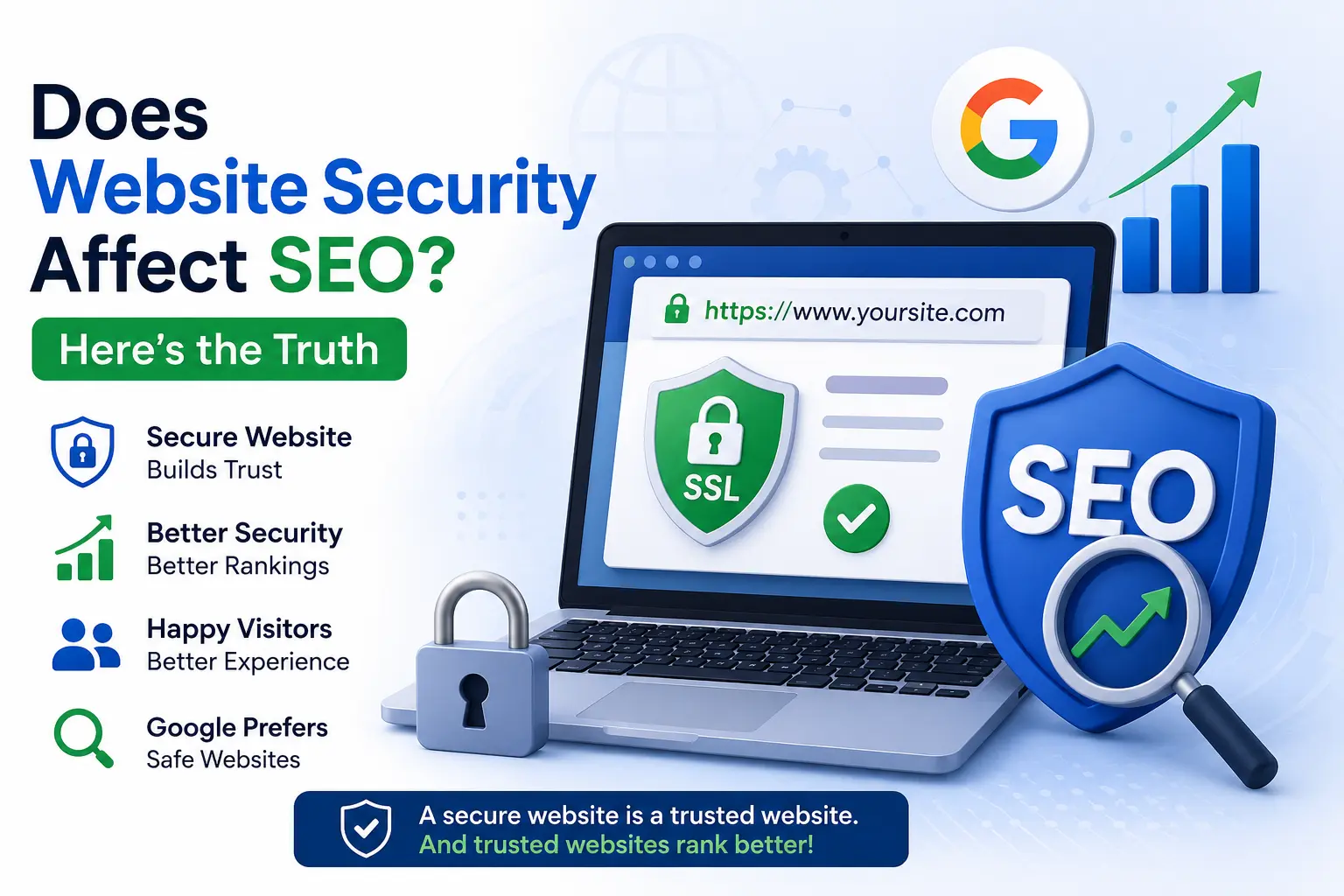
The most common strategy most marketers use to chase SEO is through content, backlinks, and keywords but many times the most overlooked factor is Website Security.
Every digital marketer should understand the fundamentals of cybersecurity as Website security plays a crucial role in SEO.
Search engines like Google don’t judge your site just on the content quality of keywords anymore. They prioritize websites that offer a safe browsing experience and users are far more likely to trust and engage with businesses that protect their personal information. And when security takes a hit, you can lose rankings, traffic and customer confidence overnight.
How Website Security Impacts SEO Rankings
Google focuses on delivering relevant and safe search results. If a website is infected with malware, hosts phishing pages, expired SSL certificates or exposes users to security risks, Google may display warnings, reduce rankings, or remove pages from search results entirely.
A secure website offers several SEO benefits:
- Improves user trust and engagement
- Reduces bounce rates
- Prevents malware-related penalties
- Supports faster website performance
- Protects valuable backlinks and domain authority
- Helps maintain consistent search rankings
So, as a marketer one should simply put website security as an essential part of Technical SEO.
How cybersecurity affects Search Engine Rankings
1. HTTPS Is a Ranking Factor
Google has used HTTPS as a ranking signal for years. A valid SSL certificate encrypts communication between visitors and your website, protecting sensitive information such as passwords, payment details, and contact form submissions.
Benefits include:
- Increased customer trust
- Browser security indicators
- Improved SEO performance
- Better conversion rates
- Protection against data interception
An insecure “Not Secure” warning in the browser bar is enough to make visitors bounce immediately which would drop SEO rankings immediately.
2. Hacked Sites Get Flagged (or Deindexed)
If your site gets compromised like malware injections, spam content, hidden backlinks or phishing redirects then Google would mark it as “Not Secure” or “This site may be hacked” warning right on your search listing. This would result in deindexing and traffic loss and eventually wiping out your organic traffic overnight.
3. Site Speed and Security Go Hand in Hand
DDoS attacks, bot traffic, and poorly secured plugins can seriously slow your website down. Since page speed is a confirmed Google ranking factor, a slow, insecure site is a double SEO loss.
4. User Trust Affects Engagement Metrics
Security warnings scare visitors away fast. Lower time-on-site, higher bounce rates, and fewer conversions all send negative signals to Google about your site’s quality — which can quietly erode your rankings over time.
How to Protect Your SEO Through Better Security
Many marketers assume cybersecurity is solely the responsibility of IT teams. In reality, marketing teams manage websites, landing pages, analytics tools, CRMs, email platforms, and advertising accounts—all of which can become targets for cyberattacks.
Understanding these core concepts helps marketers reduce risk and maintain business continuity.
- Install and renew SSL certificates consistently- every website should have HTTPS
- Run regular malware scans
- Keep CMS platforms and plugins updated
- Multi factor authentication on every marketing account like Google Ads, Google analytics, Email marketing platforms
- Use a web application firewall (WAF)
- Monitor Google Search Console for security alerts
- Regular Automated website backups.
- Restrict administrator access to authorized users only.
- Review third-party scripts and integrations regularly.
- Audit your website regularly for vulnerabilities and SEO spam.
FAQs
1. What is an SSL certificate, and why do I need one?
An SSL certificate encrypts the data shared between your website and visitors. It keeps information safe and changes your website from HTTP to HTTPS.
2. What are the most important website security practices for SEO?
Digital marketers should ensure:
- HTTPS is enabled.
- SSL certificates are valid.
- Website software and plugins are updated.
- Strong passwords and two-factor authentication are used.
- Regular malware scans and backups are performed.
- Security headers and a Web Application Firewall (WAF) are implemented.
3. How can I tell if my website has security problems affecting SEO?
Common signs include:
- Google Search Console security warnings.
- Sudden drops in organic traffic.
- Unexpected redirects.
- Unknown pages appearing in search results.
- Browser warnings stating the site is unsafe.
- Spam backlinks or injected content.
4. How often should a website be audited for security?
A basic security audit should be performed at least once every month.
High-traffic websites, e-commerce stores, and business websites should monitor security continuously using automated tools and perform comprehensive audits quarterly.
5. How often should I update my website for better security?
You should update your website, plugins, themes, and software whenever new updates are available. Regular updates fix security issues before hackers can exploit them.
Key TakeAways
Website security isn’t just an IT concern anymore — it’s an SEO essential. If you want a strong SEO strategy, sustainable rankings, organic traffic, and user trust- treat security as your SEO roadmap alongside your content and backlink strategy, not as an afterthought.