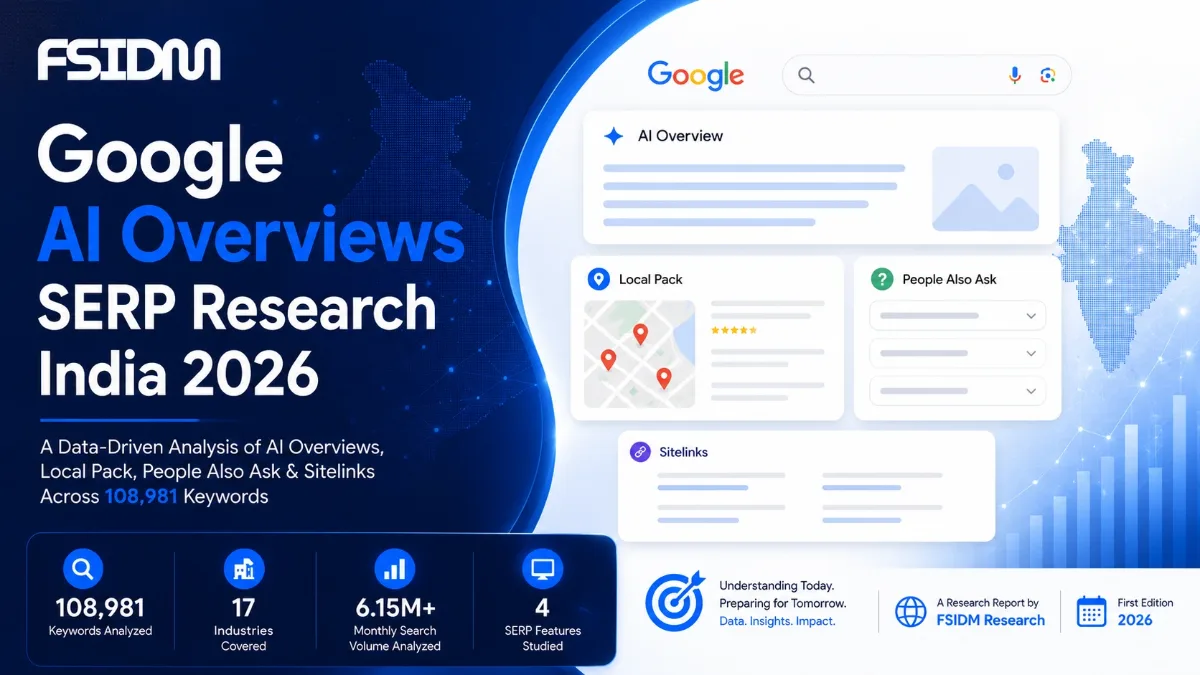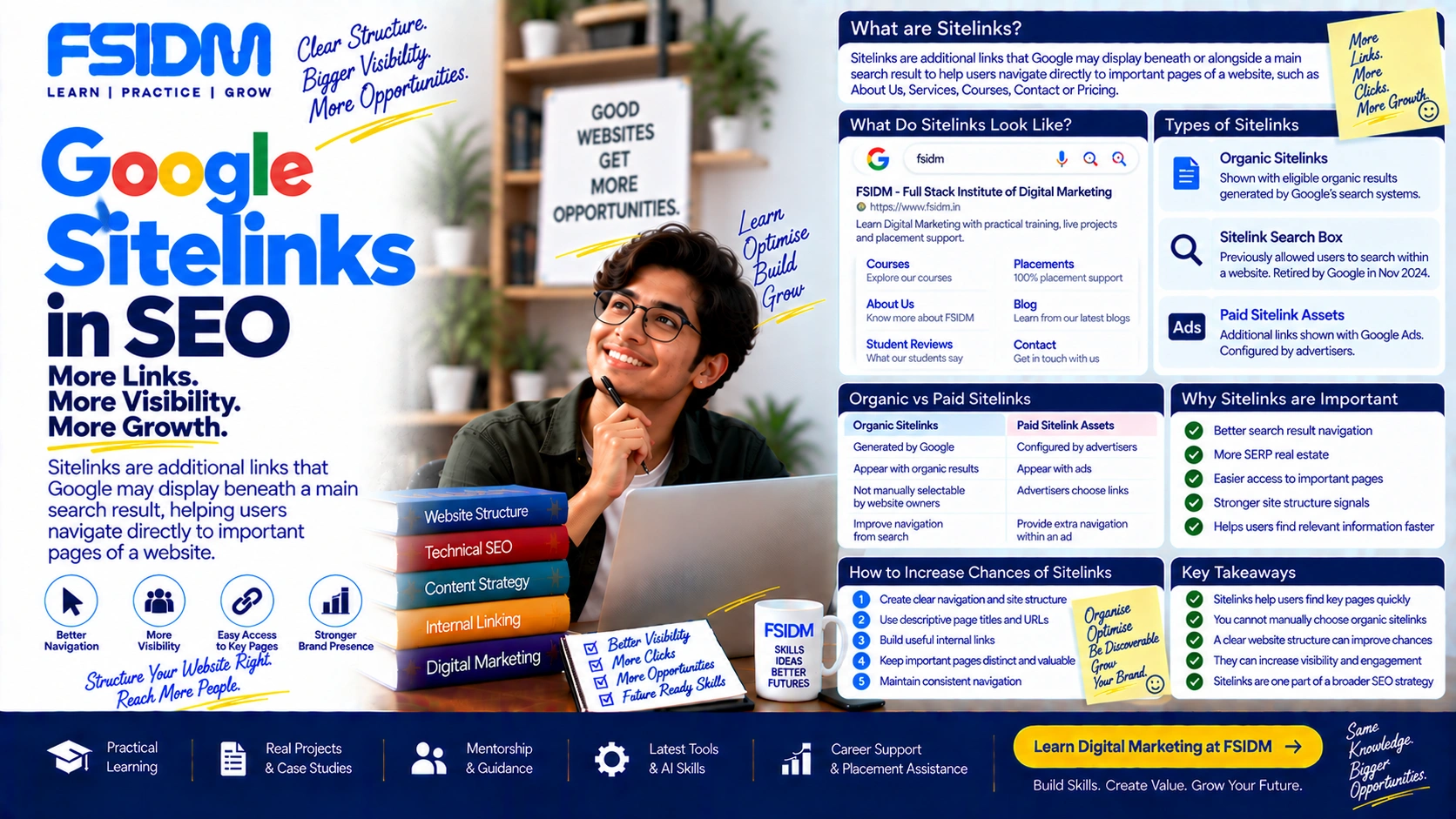
Sitelinks are additional links that Google may display beneath or alongside a main search result to help users navigate directly to important pages of a website.
Instead of showing only the homepage or primary result, Google may surface useful internal pages such as About Us, Services, Courses, Contact, Pricing or specific sections of a website. Sitelinks can make a search result more useful and give users shortcuts to pages they may want to visit.
What Do Sitelinks Look Like?
Imagine someone searches for a company by its name. Instead of seeing only the company’s homepage, Google may show additional links to important pages beneath the main result.
For example:
- Company Homepage
- About Us
- Services
- Courses
- Contact
The exact appearance, number and layout of sitelinks can vary depending on the query, website and Google’s search systems.
Why Does Google Show Sitelinks?
Google’s goal is to help users reach the information they are looking for quickly. When its systems understand a website’s structure and determine that additional pages may be useful for a particular search, those pages may be surfaced as sitelinks.
Sitelinks are therefore primarily an automated search-result feature. Website owners cannot manually choose which pages Google will display as sitelinks for a particular query.
Types of Sitelinks
1. Organic Sitelinks
Organic sitelinks can appear with an organic search result, commonly for branded or navigational searches. They help users jump directly to important sections of a website.
2. Sitelink Search Box
Google has also supported a search-box experience associated with certain site results, allowing users to search within a website from the search result. Google retired the sitelinks search box feature from Search in November 2024, so older SEO guides discussing it may now be outdated.
3. Paid Sitelink Assets
Google Ads can show additional links with advertisements through sitelink assets. These are different from organic sitelinks because advertisers can provide the destinations and associated text for eligible ads.
Organic Sitelinks vs Paid Sitelinks
| Organic Sitelinks | Paid Sitelink Assets |
|---|---|
| Generated by Google’s organic search systems | Configured by advertisers in Google Ads |
| Appear with eligible organic results | Can appear with eligible advertisements |
| Website owners cannot directly select which organic sitelinks Google shows | Advertisers provide eligible sitelink destinations and text |
| Can improve navigation from organic search | Can provide additional navigation options within an ad |
Why Are Sitelinks Important for SEO?
Sitelinks can make a search result more prominent and useful, particularly for branded and navigational searches.
1. Better Search Result Navigation
Users can reach important sections of a website without first opening the homepage and searching through the navigation menu.
2. More SERP Real Estate
When additional links appear, a website can occupy more visible space within the search results. The exact presentation depends on Google’s search interface.
3. Easier Access to Important Pages
Sitelinks can expose high-value pages such as services, products, courses or contact information directly from Search.
4. Stronger Site Structure Signals
Although sitelinks are not a direct ranking factor, the pages Google selects can reflect its understanding of a website’s structure and important sections.
How to Increase the Chances of Sitelinks Appearing
There is no guaranteed method for getting organic sitelinks. However, a clear website structure can make important pages easier for users and search engines to understand.
- Create clear navigation: Use a logical menu structure that helps visitors find important pages.
- Use descriptive page titles: Page titles should accurately describe the destination.
- Build useful internal links: Link important pages from relevant content using natural anchor text.
- Maintain a logical site hierarchy: Organize content into meaningful categories and sections.
- Use descriptive URLs: Keep URLs understandable and relevant to the page.
- Avoid excessive duplication: Make important pages distinct and useful rather than creating multiple near-identical destinations.
- Keep navigation consistent: Make key sections easy to identify throughout the website.
Can You Choose Which Sitelinks Google Shows?
No. For organic sitelinks, Google automatically determines which links to display. There is no standard SEO setting where a website owner can select a specific set of sitelinks for every query.
However, improving site architecture, internal linking, page titles and navigation can help Google understand which pages are important.
Can Sitelinks Be Removed?
Google generally determines organic sitelinks automatically. If an undesirable page is repeatedly being surfaced, the better approach is usually to improve the site’s structure and make the intended pages clearer rather than trying to manipulate the sitelink system.
Technical controls such as redirects, removal of obsolete pages or appropriate indexing directives may be relevant when a page should genuinely no longer exist or be indexed, but these should be used for the underlying SEO reason—not simply as a sitelink control.
Sitelinks and Internal Linking
Internal linking plays an important role in helping search engines discover pages and understand relationships within a website. Clear internal links can also help users navigate between related sections.
For example, an education website might structure its navigation around:
- Digital Marketing Courses
- SEO Course
- Performance Marketing
- AI Marketing
- About
- Contact
A logical structure makes the website easier to navigate and gives search engines clearer signals about important sections.
Sitelinks and Branded Searches
Sitelinks are particularly common and useful in searches where the user is looking for a specific website or organization. For example, a branded search may produce the main website result together with links to important sections.
However, sitelinks are not limited to one fixed query type, and their appearance is determined automatically by Google’s systems.
Common Sitelink SEO Mistakes
- Assuming sitelinks can be manually selected for organic results.
- Creating unnecessary pages just to try to generate more sitelinks.
- Using vague navigation labels such as “Click Here” or “More.”
- Ignoring internal linking and website hierarchy.
- Confusing organic sitelinks with Google Ads sitelink assets.
- Following outdated advice about the retired sitelinks search box.
Frequently Asked Questions
What are sitelinks in Google Search?
Sitelinks are additional links Google may show with a search result to help users access important pages within a website.
Are sitelinks a ranking factor?
No. Sitelinks are a search-result feature rather than a conventional ranking factor.
Can I manually add organic sitelinks?
No. Google automatically determines organic sitelinks. You can improve your website structure and internal linking to help Google understand important pages, but you cannot directly assign organic sitelinks.
Are sitelinks the same as breadcrumbs?
No. Sitelinks provide additional navigation links from a search result, while breadcrumbs show the hierarchical path of a webpage within a website.
Are Google Ads sitelinks the same as organic sitelinks?
No. Google Ads sitelink assets are configured by advertisers for eligible ads, while organic sitelinks are generated automatically by Google’s organic search systems.
Interview Question
Q: What are sitelinks in SEO, and how can a website increase the chances of getting them?
Answer: Sitelinks are additional links that Google may display beneath an organic search result to help users navigate directly to important pages on a website. A logical site structure, descriptive page titles, clear navigation and strong internal linking can help Google understand the site’s important sections, but organic sitelinks cannot be guaranteed or manually assigned.
Interview Tip
The key point to remember is: you don’t directly create organic sitelinks—Google generates them. Your job is to make the website structure, navigation and important pages clear.
Learn SEO with FSIDM
Sitelinks are one part of how a strong website architecture can influence search visibility and user navigation. Understanding internal linking, information architecture, technical SEO and SERP features helps marketers build websites that work better for both users and search engines.
FSIDM focuses on practical, industry-oriented digital marketing and SEO learning, helping students and professionals apply SEO concepts to real-world websites and marketing projects.