With Gemini AI, you can bring to life cinematic, retro, and Pinterest-inspired visuals in just a few lines of text.
This article highlights Gemini prompts for women and girls, with a special focus on retro saree aesthetics that capture the timeless elegance of the 90s while blending in a modern AI twist.
From Instagram-worthy edits, LinkedIn, Thread, Facebook edits to motivational portraits, Maharani-style concepts, and out-of-the-box Indian fashion, these prompts are copy-paste ready to help you create stunning, ultra-realistic AI images for your next creative project.
🖼 Retro Saree Gemini Prompts (Copy-Paste)
Prompt 1 – Brown Retro Saree Sitting Pose
Positive Prompt:
“Create a retro vintage grainy but bright image of the reference picture but draped in a perfect brown color Pinteresty aesthetic retro saree. It must feel like a 90s movie brown hair baddie with a small flower tucked visibly into her curls and romanticising windy environment. The girl is sitting on a stone bench against a solid wall, deep shadows and contrast drama, creating a mysterious and artistic atmosphere. The lighting is warm with golden tones evoking a sunset glow. The background is minimalist and slightly textured. The expression on her face is moody, calm yet happy and introspective.”
Negative Prompt:
“blurry, distorted faces, duplicate figures, cartoonish, plastic skin, cropped head, watermark, text, unrealistic colors, bad anatomy, overexposed, pixelated.”

Prompt 2 – Brown Retro Saree Standing Pose
Positive Prompt:
“Create a retro vintage grainy but bright image of the reference picture but draped in a perfect brown color Pinteresty aesthetic retro saree. It must feel like a 90s movie brown hair baddie with a small flower tucked visibly into her curls and romanticising windy environment. The girl is standing against a solid wall, deep shadows and contrast drama, creating a mysterious and artistic atmosphere. The lighting is warm with golden tones evoking a sunset glow. The background is minimalist and slightly textured. The expression on her face is moody, calm yet happy and introspective.”
Negative Prompt:
“low resolution, blurry, duplicate people, distorted body, cropped face, cartoon style, unrealistic background, watermark, text, plastic textures, dull lighting.”

Prompt 3 – Red Retro Saree Standing Pose
Positive Prompt:
“Create a retro vintage grainy but bright image of the reference picture but draped in a perfect red color Pinteresty aesthetic retro saree. It must feel like a 90s movie brown hair baddie with a small flower tucked visibly into her curls and romanticising windy environment. The girl is standing against a solid wall, deep shadows and contrast drama, creating a mysterious and artistic atmosphere. The lighting is warm with golden tones evoking a sunset glow. The background is minimalist and slightly textured. The expression on her face is moody, calm yet happy and introspective.”
Negative Prompt:
“blurry, distorted anatomy, cartoonish, duplicate face, watermark, text overlay, cropped badly, dull colors, unrealistic shadows, noisy image.”

Prompt 4 – Black & White Retro Saree Classic Look
Positive Prompt:
“Create a retro vintage black & white grainy image of the reference picture draped in a classic plain saree with minimal embroidery, styled with 1960s-inspired loose curls and bold eyeliner. The girl is leaning against a textured wall with soft shadows, evoking an old Bollywood photoshoot. The mood is timeless, elegant, and cinematic with a nostalgic monochrome filter.”
Negative Prompt:
“blurry, pixelated, distorted faces, cartoon filter, duplicate figure, cropped, watermark, text, overexposed highlights, plastic look.”

Prompt 5 – Golden Retro Saree Editorial Pose
Positive Prompt:
“Create a retro vintage grainy but bright editorial-style image of the reference picture draped in a golden silk saree with shimmering details. Styled with soft curls, statement retro earrings, and holding a single rose in her hand. The background is a warm retro studio backdrop with dramatic spotlight and shadows, evoking the charm of a 90s fashion magazine cover.”
Negative Prompt:
“low quality, blurry, distorted anatomy, duplicate face, cartoon look, watermark, text, cropped image, bad proportions, unrealistic fabric textures.”

Prompt 6 – Professional Photoshoot for Working Women
Positive Prompt:
“Ultra-realistic professional photoshoot of the reference woman (use reference image for exact face and skin tone) dressed in a modern office saree or elegant formal wear. She is seated at a sleek desk with a laptop, soft studio lighting highlighting her confident pose, exuding professionalism and charisma. The background is minimalist, corporate-style with muted colors and subtle depth, captured in cinematic clarity.”
Negative Prompt:
“blurry, distorted body, duplicate figures, casual messy outfits, cartoonish look, watermark, text overlay, cropped face, low resolution, unrealistic background.”

Prompt 7 – Women Entrepreneur Photograph
Positive Prompt:
“Ultra-realistic portrait of a confident woman entrepreneur (use reference image for exact face and skin tone) in a stylish saree or Indo-Western business attire, standing with arms folded inside a modern office space. The background shows subtle luxury details (bookshelf, abstract art, plants). Lighting is bright, editorial-style with cinematic depth, capturing authority and elegance.”
Negative Prompt:
“blurry, low quality, duplicate faces, distorted anatomy, cartoonish style, watermark, text, cropped badly, unrealistic office setup.”

Prompt 8 – Motivational Photograph of a Woman
Positive Prompt:
“Cinematic motivational portrait of the reference woman (use reference image for exact face and skin tone), standing outdoors against a sunrise background, dressed in a flowing saree or salwar with vibrant colors. She is gazing upward with determination, one hand raised slightly in a gesture of strength. The atmosphere is inspiring, golden-hour lighting, retro grain for artistic depth, symbolizing empowerment.”
Negative Prompt:
“blurry, pixelated, distorted hands, duplicate people, cartoon style, watermark, text overlay, cropped image, dull tones, unrealistic sky.”

Prompt 9 – Maharani Style Portrait
Positive Prompt:
“Ultra-realistic royal Maharani-style portrait of the reference woman (use reference image for exact face and skin tone), draped in an embroidered silk saree with heavy jewelry, traditional bun with gajra (flowers), and a regal pose seated on a carved antique chair. Background includes ornate palace interiors, chandeliers, and golden decor. Cinematic lighting with warm tones enhances the luxurious royal aesthetic.”
Negative Prompt:
“blurry, distorted anatomy, duplicate jewelry, cartoonish royal look, plastic textures, watermark, text, cropped frame, overexposed highlights.”

Prompt 10 – Out of the Box Indian Style Woman
Positive Prompt:
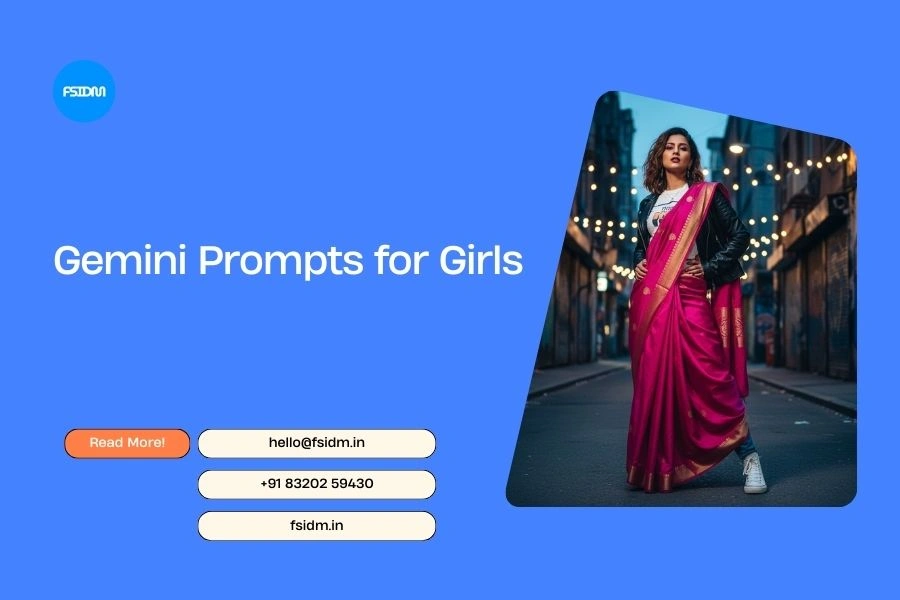
“Creative editorial-style portrait of the reference woman (use reference image for exact face and skin tone), styled in a fusion outfit blending traditional Indian saree drape with modern streetwear (sneakers, jacket, or denim). She poses confidently in an urban Indian street setting with colorful walls, graffiti, and fairy lights. Cinematic tones, dramatic contrast, and bold styling make it out-of-the-box yet culturally rooted.”
Negative Prompt:
“blurry, cartoonish, distorted body, unrealistic outfit, duplicate figures, watermark, text, cropped badly, messy lighting, dull atmosphere.”

🖼 Steps to Create a Retro Saree AI Image in Gemini AI
- Open Gemini AI
- Go to your Google Gemini AI platform or app.
- Log in with your account.
- Go to your Google Gemini AI platform or app.
- Upload Your Reference Image (Optional but Recommended)
- Upload the person’s image if you want the AI to match their exact face and skin tone.
- This ensures the saree drape and retro style look realistic on the reference.
- Upload the person’s image if you want the AI to match their exact face and skin tone.
- Choose the Gemini AI Photo Editor / Image Generation Option
- Select the image generation tool inside Gemini.
- Make sure “high quality” or “photorealistic” mode is enabled.
- Select the image generation tool inside Gemini.
- Copy-Paste the Prompt
- Select one of the Gemini prompts for women or girls (from the retro saree collection above).
- Paste it into the prompt box.
- Select one of the Gemini prompts for women or girls (from the retro saree collection above).
- Add a Negative Prompt (Optional but Helpful)
- To avoid blurry, distorted, or cartoonish images, paste the negative prompt along with the positive one.
- To avoid blurry, distorted, or cartoonish images, paste the negative prompt along with the positive one.
- Generate the Image
- Click on Generate.
- Wait for Gemini AI to render your retro saree portrait.
- Click on Generate.
- Review & Refine
- If the result is not perfect, tweak the colors, lighting, or mood in the prompt.
- For example: change “brown saree” to “red saree” or adjust “sunset glow” to “morning light”.
- If the result is not perfect, tweak the colors, lighting, or mood in the prompt.
- Download & Share
- Once satisfied, save the image.
- Use it for Instagram posts, Pinterest boards, or AI art collections.
- Once satisfied, save the image.
🌟 Benefits of Using Retro Saree Gemini Prompts
- Cinematic Retro Look → Perfect 90s Bollywood-inspired atmosphere.
- Instagram-Ready → Create aesthetic edits that trend on social media.
- Copy-Paste Ease → Pre-written prompts, no need to draft from scratch.
- Customizable → Change saree colors, backgrounds, or lighting styles.
- AI-Powered Fashion → Reimagine sarees in modern editorial style with retro grain.
🔎 What Are Gemini Prompts for Women & Girls?
A Gemini prompt is a text-based instruction you provide to Google Gemini AI Photo Editor to generate ultra-realistic or stylized images.
- Gemini prompt for women → Creates fashion-forward looks, saree styles, or elegant edits.
- Gemini prompt for girls → Adds youth, vibrancy, and Instagram trending vibes.
- Retro style prompt for Gemini girl → Perfect for grainy, cinematic, vintage photos.
- Gemini AI photo editor prompts copy paste for girls → Pre-made prompts you can paste directly for instant results.
These are trending across Instagram edits and Pinterest fashion boards, making them ideal for content creators, models, and AI enthusiasts.
❓ FAQs
Q1. What is a Gemini prompt for women?
A Gemini prompt for women is a ready-made AI text instruction that helps generate realistic or stylized images of women, often in traditional or retro fashion like sarees.
Q2. What is a Gemini prompt for girls?
A Gemini prompt for girls is focused on youthful, Instagram-trending edits — perfect for stylish portraits, casual looks, and vintage AI aesthetics.
Q3. Can I use Gemini prompts for women or girls on Instagram?
Yes ✅ These prompts are designed for Gemini prompt for women or girls Instagram edits, helping you create Pinterest-inspired, trendy, and aesthetic portraits.
Q4. What is a retro style prompt for Gemini girl?
It’s a prompt for Gemini AI retro style that creates grainy, cinematic, vintage-looking images with warm tones — ideal for saree or 90s-inspired edits.
Q5. What is a Gemini prompt saree?
A Gemini prompt saree generates images of women in sarees — from traditional silk looks to retro Pinteresty drapes with grainy cinematic vibes.
Q6. What are Gemini AI Photo Editor prompts copy paste for girls?
They are pre-written, copy-paste-ready instructions that you can use in Gemini AI Photo Editor to instantly create stylish portraits of girls in different fashion styles.
Q7. Are these prompts trending?
Yes, prompt for Gemini AI trending includes retro saree looks, Instagram aesthetic edits, and cinematic portraits. They are widely shared by AI artists and creators.
With these Gemini prompts for women and girls, you can easily generate retro saree AI portraits that look like they belong in a 90s film or a Pinterest mood board. Whether you want to experiment with Instagram trends or explore artistic retro edits, these prompts are a copy-paste solution for instant AI creativity.
📝 Note
Prompts may or may not generate 100% accurate results on the first attempt. You can always tweak colors, lighting, or outfits in the prompt for better outputs. Using a reference image for exact face and skin tone is highly recommended for realistic results.